- Match the display name and handle, not just the post text — bots name themselves after their scam.
- Start with
airdrop,giveaway,DM me,claim,whitelist— then narrow what misfires. - For anything ambiguous use a two-condition regex, so one word alone is never enough.
- Allowlist the accounts you actually read before your first run.
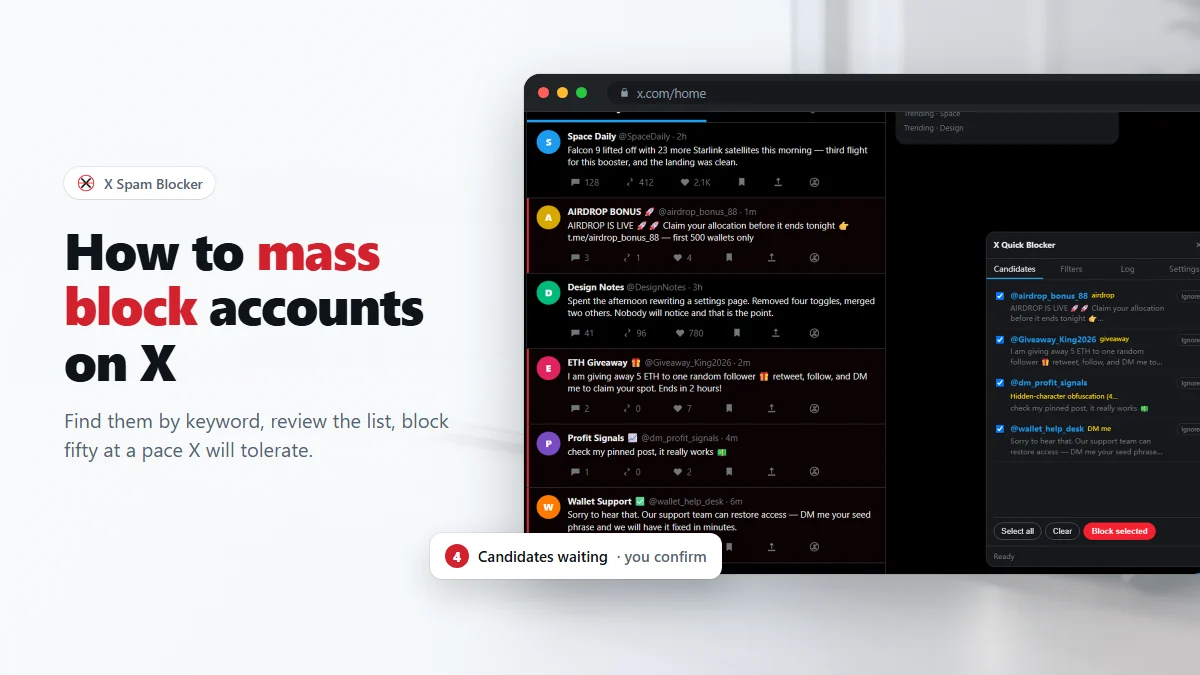
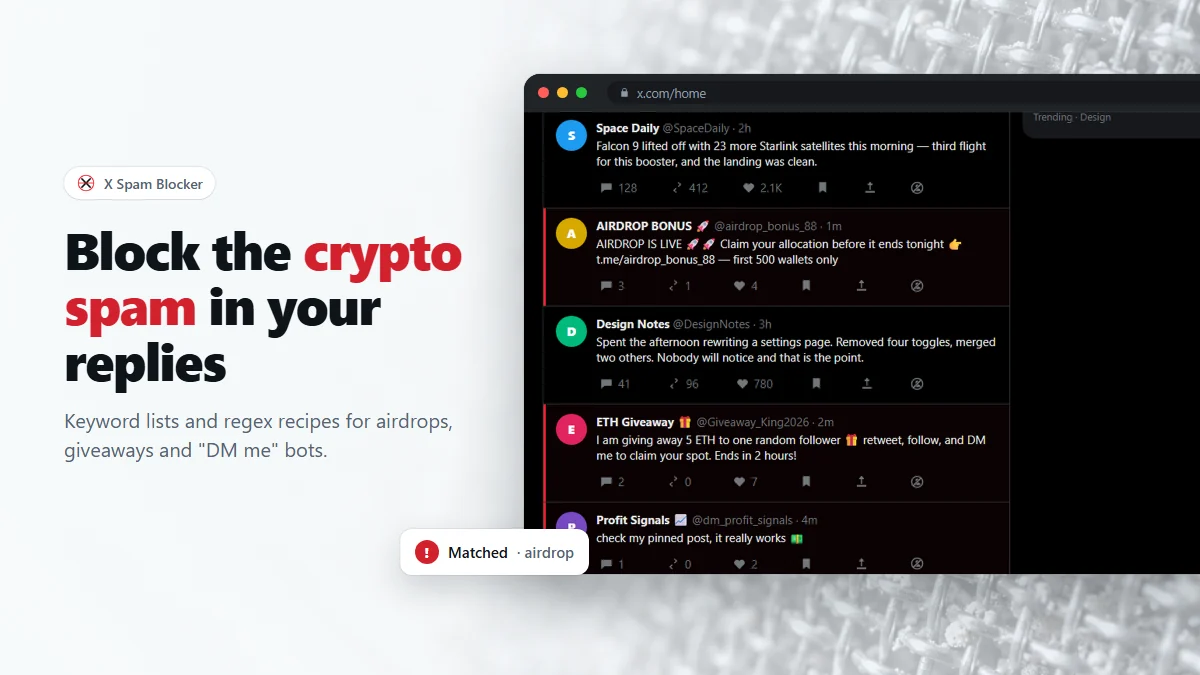
Crypto reply spam on X is industrialized. The same few templates appear under every post with traction, from thousands of disposable accounts, and no amount of muting words makes them go away — mute hides the post and leaves the account free to come back tomorrow. What follows is a set of filters that have earned their place, plus the reasoning behind each one, so you can adapt them instead of pasting them blind.
The five patterns you are actually filtering
Almost all of it falls into five buckets, and each one wants a different kind of rule:
- Fake airdrops. "Airdrop is live", "claim before it ends", a link, a countdown. Announces itself in plain words — easy keyword targets.
- Giveaway bots. "I'm giving away 5 ETH to a random follower", often with a stolen avatar of someone well known. The display name is usually the giveaway.
- Support impersonators. Names like "Wallet Support" or "Official Help Desk", replying to anyone who mentions a wallet problem. Handle and name are the signal, never the text.
- DM bait. "DM me for details", "message my telegram", no substance at all. Short, repetitive, and a good fit for a two-word regex.
- Engagement filler. One emoji, a single word, a bare mention — posted to game reach. Hard to catch by wording; catch these by their name or by shape.
A starter keyword list
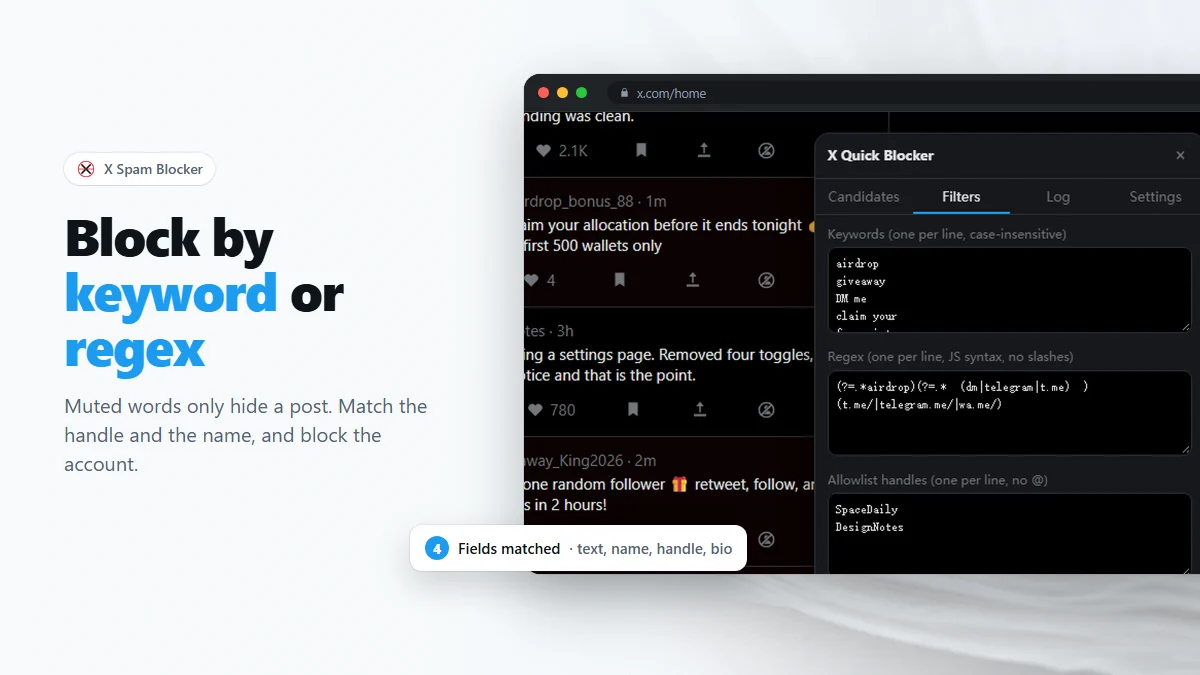
Paste this into the Keywords box of the 🛡 panel's Filters tab, one per line. It is deliberately short: a list you understand beats a list you inherited.
airdrop
giveaway
DM me
dm for details
claim your
free mint
whitelist spot
presale
100x
pump
support team
help desk
wallet issue
seed phrase
send me a dm
Two of those need a word of warning. pump and 100x are words real traders use; if you follow finance accounts, take them out or move them into a regex that also requires a second condition. seed phrase is the opposite — nobody legitimate asks about your seed phrase in a reply, so it is one of the highest-precision single phrases on the list.
Match the name, not the sentence
This is the single most useful setting in the extension. In Settings, under Match against, you can turn each field on and off independently: post text, display name, handle, bio.
| Field | Precision | Use it for |
|---|---|---|
| Handle | Highest | airdrop, giveaway, support, bonus — words that appear in a handle only on purpose. |
| Display name | High | Impersonator names, emoji-laden bot names, "Official …". |
| Bio | Medium | Telegram links, "DM for promo", the pitch an account cannot help writing down. |
| Post text | Lowest | Distinctive full phrases only, not single topic words. |
The asymmetry is stark in practice. Someone with airdrop in their handle is running an airdrop scam essentially every time. Someone who writes "airdrop" in a sentence is as likely to be complaining about one. If you only change one thing after reading this, make it this: keep handle and display name on, and be strict about what you allow into the post-text list.
Regex recipes that do not misfire
The Regex box takes JavaScript regular expressions, one per line, without the slashes. The trick that makes them safe is lookahead: instead of matching a word, require two independent things to be present anywhere in the text. Either one alone is innocent; both together are not.
(?=.*airdrop)(?=.*\b(dm|telegram|t\.me)\b)
(?=.*giveaway)(?=.*\b(retweet|rt|follow)\b)
(?=.*(wallet|metamask|phantom|ledger))(?=.*(support|help|desk|recover))
(?=.*(free|claim))(?=.*(mint|nft|whitelist|wl))
(?=.*\b(dm|inbox)\b)(?=.*\b(profit|signals?|earn)\b)
Read the first one as: the text mentions an airdrop and tells you to get in touch privately. A post complaining about airdrop spam will match the first half and fail the second, so it survives. That is the whole design principle — every ambiguous word gets a chaperone.
Two more, aimed at shape rather than vocabulary:
(t\.me/|telegram\.me/|wa\.me/)
([\uD83C-\uDBFF][\uDC00-\uDFFF]\s*){4,}
The first catches off-platform contact links, which is what almost every one of these accounts is ultimately there to hand you. The second matches four or more emoji in a row: those character ranges are how emoji are actually stored, and four in a row is engagement filler far more often than it is a person.
Two things to know about how the regex box behaves. Patterns are compiled case-insensitively but without the Unicode flag, so \p{...} property escapes silently do nothing and character ranges are the way to reach emoji. And matching runs against the post text, display name, handle and bio joined together, so ^ and $ will not mean "start and end of the post". Write unanchored patterns.
Support and reply impersonators
The impersonators deserve their own treatment because they are the most dangerous category and among the easiest to catch. They work by watching for anyone who mentions a wallet or an exchange problem and replying within seconds, offering to "help" — which means asking for a seed phrase or sending you to a drainer site.
They also almost always encode the lie in the account itself. Turn on handle and display-name matching, and add:
support
helpdesk
help desk
official
customer care
techsupport
recovery
Yes, official and support will occasionally catch a real account with an unfortunate name. That is what the allowlist and the candidate review step are for — you see the name and the handle in the list before anything happens, so a bad catch costs you one untick.
No real exchange, wallet or platform support team will reply to you unprompted in a public thread, ask for a seed phrase, or ask you to connect a wallet to "verify". Blocking them is housekeeping; never typing your seed phrase anywhere is the part that actually matters.
Tuning a list that caught the wrong people
When a rule misfires, work in this order:
- Unblock from the Log tab, so the damage is undone first.
- Add the account to the allowlist so no future rule can reach it.
- Find the rule — the candidate row and the log entry both name the keyword or pattern that matched.
- Fix it by narrowing, not deleting: move the word from Keywords into a two-condition regex, or restrict matching to the handle only.
Deleting a rule outright throws away the cases it got right. Adding a chaperone keeps them.
A ten-minute weekly routine
Filters decay, because the spam rewrites itself. A short recurring pass keeps up with it without becoming a hobby:
- Open the replies under two or three large posts in your niche — the densest spam you will find anywhere.
- Scroll with scanning on until the candidate list stops growing.
- Review, block, then read the Log for anything that failed or looks wrong.
- Note any spam you saw that was not caught, and add one rule for it. One per session is plenty.
After a month of that, most of what reaches your replies will be people. For the wider question of when to block and when to mute, see block vs mute on X.
Frequently asked questions
Why do crypto bots reply to posts that have nothing to do with crypto?
They reply to whatever is getting engagement, because a reply under a popular post is free distribution. That is also why blocking them works: the same accounts show up under every large post, so a list built from one thread keeps paying off in the next.
Is it better to block or report crypto scam accounts?
Do both when the account is clearly a scam — report it to X, then block it. Reporting may eventually remove it for everyone; blocking gets it out of your replies now, and does not depend on anyone reviewing your report.
Will blocking bots stop new ones appearing?
No. These are disposable accounts and there is an endless supply. What blocking does is keep the ones you have already seen from coming back, and a keyword filter means each new one costs you a tick in a list rather than three clicks in a menu.
Can I share my keyword list with someone else?
Yes, by copying the text out of the Filters tab and pasting it into theirs. The extension has no shared or crowd-sourced blocklist and never uploads your filters, so sharing is a copy and paste.
Do these filters work in languages other than English?
The matching is plain text, so any language works — put the phrases you actually see into your own filters. The extension normalizes fullwidth and decorated characters first, which matters for CJK spam in particular.
Block spam accounts on X in bulk, after you confirm
Free Chrome extension. No account, no server, no tracking.